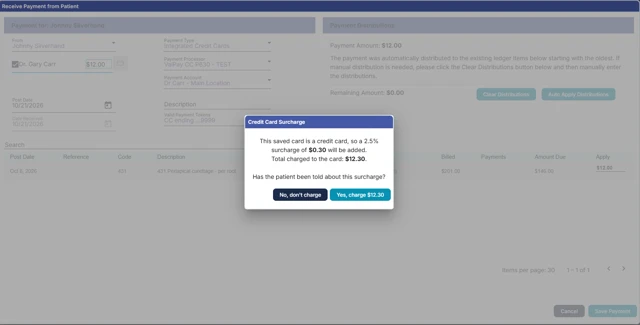
Surcharging adds a percentage fee to credit card payments so the practice can recover card processing costs. Debit and prepaid cards are never surcharged, and one rate applies to every credit card brand that can be surcharged.
Surcharging is set per practice location and works in three places:
|
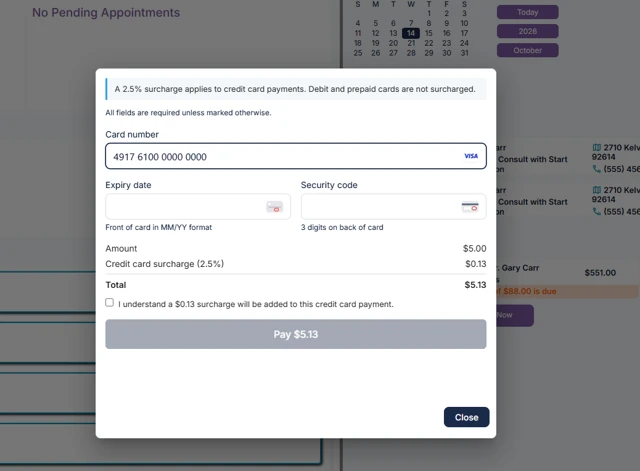
Where the patient pays |
How the surcharge is disclosed |
|---|---|
|
Patient portal (online) |
The patient ticks a surcharge checkbox before paying |
|
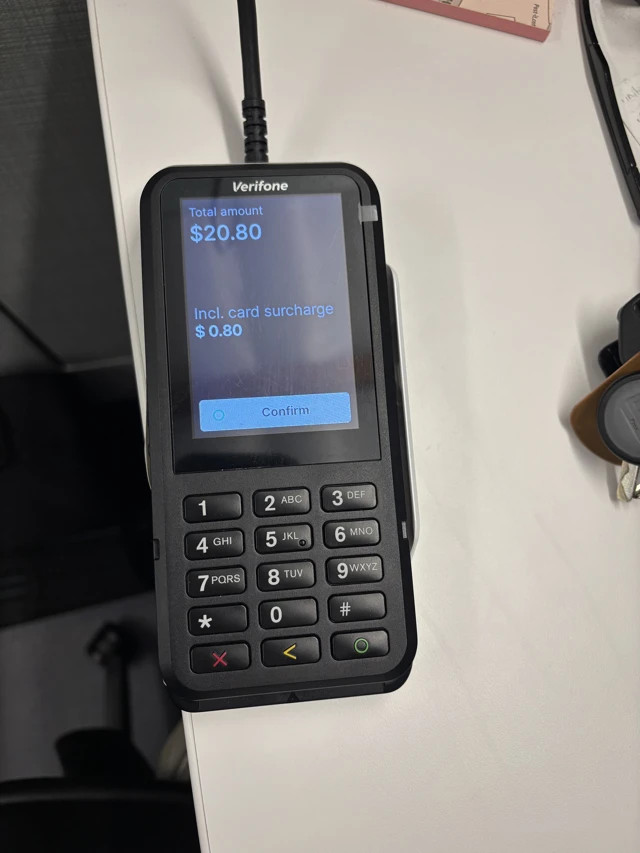
Pin pad terminal |
The pin pad shows the surcharge and the patient confirms or cancels |
|
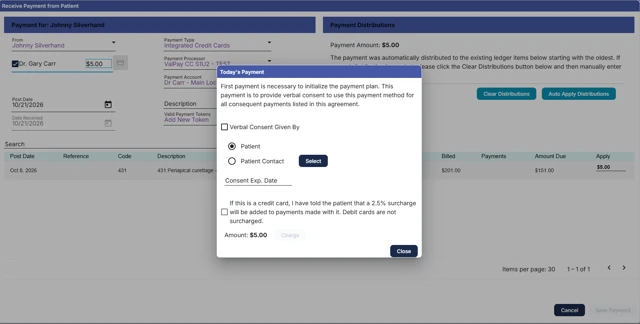
Saved credit card on file |
Staff tick a checkbox confirming they told the patient about the surcharge |
The surcharge is rounded to the nearest cent. For example, a 3.5% rate on a $100.00 payment charges $103.50.
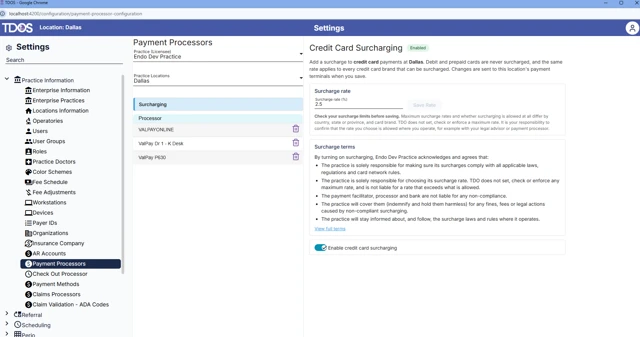
An administrator turns surcharging on once per location. Users without settings rights cannot see or change it.
3 or 3.5), then click Save Rate.
Saving applies the same rate to every ValPay terminal and to online payments at that location. Other locations are not affected.
To change the rate: enter the new rate, click Save Rate, then restart the pin pads.
To turn surcharging off: switch off Enable credit card surcharging, then restart the pin pads. New payments are no longer surcharged.
If the patient cancels on the surcharge screen, no charge is made. The transaction log shows "Payment Declined - card not charged (Shopper cancelled)" with $0.00.
Cards saved before surcharging was released are not surcharged. To surcharge one, delete the saved card and save it again.
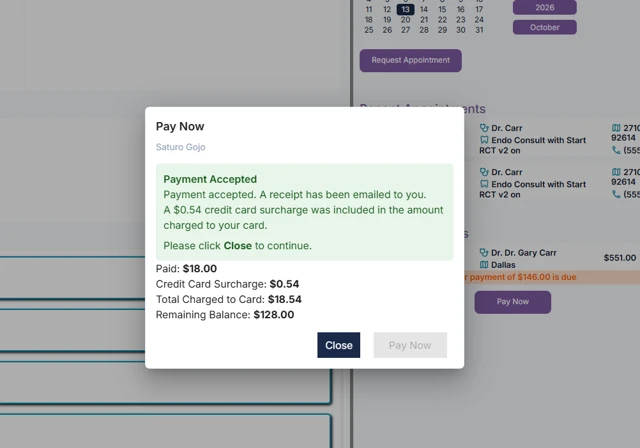
Receipts and transaction logs list the surcharge on its own line, for example Payment $15.00 / Surcharge $0.52 / Total $15.52.
In the ledger, a surcharged payment posts the base payment plus two surcharge lines: a Surcharge debit adjustment and a matching surcharge payment. They cancel out, so only the base payment reduces the patient's balance. Payment Item Details shows CC Surcharge and Card Total.
Refunds:
|
Refund type |
Is the surcharge refunded? |
|---|---|
|
Full refund |
Yes, the surcharge is refunded with the payment |
|
Partial refund |
No, only the amount entered is refunded |
A cancelled pin pad payment shows one voided line in the ledger, visible only when Hide Voids is unchecked. It does not affect the balance.
|
Message |
What it means |
What to do |
|---|---|---|
|
Save a surcharge rate to turn on surcharging. |
No rate is saved yet, so the toggle is greyed out |
Enter a rate and click Save Rate |
|
Enter a rate greater than 0 and less than 100%, with at most two decimal places. |
The rate entered is not valid |
Fix the rate, e.g. |
|
Please restart your pinpads for changes to take effect. |
Terminals pick up changes slowly on their own |
Restart each pin pad at the location |
|
Updating payment terminals… |
TDOS is sending the new setting to the terminals |
Wait for it to finish |
I turned surcharging on, but the pin pad isn't adding it. Restart the pin pad. Terminals check for new settings only every few hours on their own.
Why wasn't a patient's card surcharged? It was a debit or prepaid card, surcharging is off at that location, or it is a saved card stored before surcharging was released.
Do cash, check and insurance payments change? No. Only credit card payments are surcharged.
Article ID: 1077
Created: November 21, 2026
Last Updated: November 21, 2026
Author: TDO KB [web_admin@tdo4endo.com]
Online URL: https://kb.tdo4endo.com/article.php?id=1077