Overview
On the patient’s ledger, there is a Sent to Collections checkbox. By clicking this box, you are stating that the patient has been sent to collections. This patient will no longer appear on your patient statements; however, patients will still appear on the aging analysis with a note next to the name stating the account is in collections.
Detailed Instructions
Steps to Write Off Patient Balance
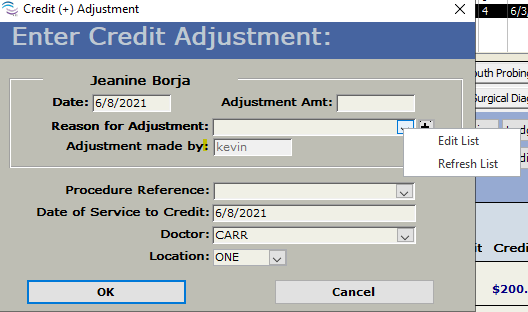
On the ledger, click on 'Credit Adjustment'. Right-click on the drop-down arrow for 'Reason for Adjustment' > edit list.
It will open a window where you can add 'Collections write off'.
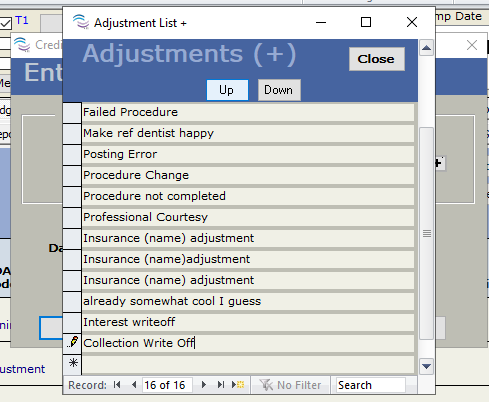
Then enter the amount to write off to bring the patient balance to zero.
When you receive the payment from the collection agency, you can either void the credit adjustment or do a debit adjustment for the same amount to restore the balance to the patient. Debit Adjustment for the same amount will show on the patient's statement that was for the initial write off, whereas the voiding of the write off will remove it altogether. Both are acceptable and will serve the same purpose. One or the other needs to be done before you take the payment. Then, click receive payment for the check amount from the agency.
Article ID: 257
Created: October 29, 2014
Last Updated: February 25, 2026
Author: TDO KB [web_admin@tdo4endo.com]
Online URL: https://kb.tdo4endo.com/article.php?id=257