Overview
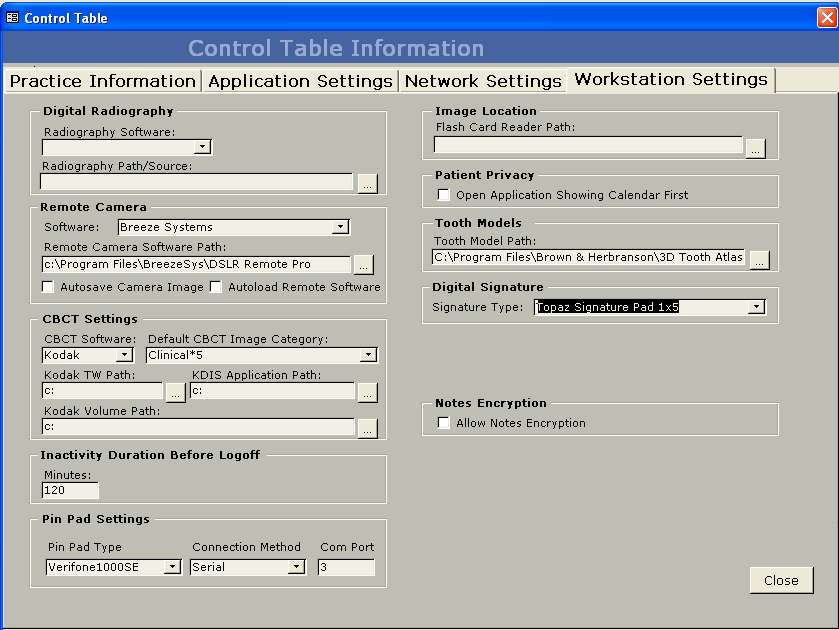
The ability to sign the medical history forms, policy consent forms, pain history form, and the credit card receipts using the Topaz signature pad. The Topaz signature pad can also be used with the installed Infograbber.
Requirements
Topaz Signature Pad Signature USB (Gem LCD 1x5, T-L462, or T-L460-HSB-R).
Detailed Instructions
Figure 1.
Medical History, Pain History and Policy Consent Forms (in TDO)
When the Medical History form is open, the Topaz signature pad should be ready for the patient to sign. Have the patient sign the signature pad, then have the patient click on the “OK” button on the signature pad. The user should see the patient’s signature on the form.

A message box will display that the signature is complete after the patient signs and clicks on the “OK” button.
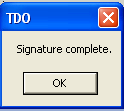
Click on the OK button and click the “Click here after signing” button.
The digital signature works the same way in the Pain History and the Policy consent forms.
Infograbber
The Topaz signature pad should be ready for the patient to sign once the patient reaches the signature area in Infograbber. Patients simply sign the signature pad and click the OK button on the pad. The user should see the patient’s signature on the form. A message box will display that the signature is complete after the patient signs and clicks on the “OK” button.
Credit Card Receipts
After running a credit card transaction, the display below will show.
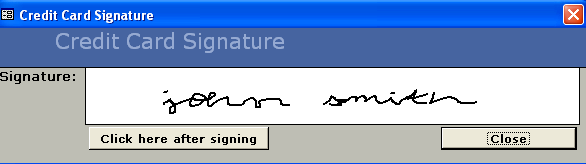
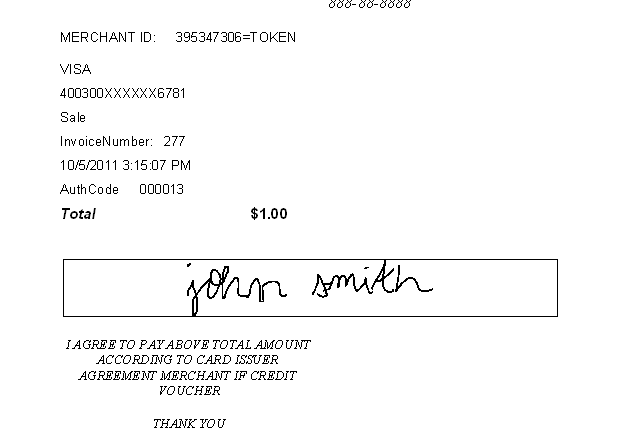
The patient will sign the Topaz signature pad and click on the OK button on the pad. The user will click on the “Click here after signing” button and the credit card receipt will display with the signature. There is no need for the office to print a hard copy of the receipt to keep for their records because the signature and the receipt will be kept in the database. The user can retrieve the receipt at any time.
Troubleshooting
The Topaz signature pad device is plug-and-play and should not require installation outside of TDO. If it does not work after configuring it in the Edit Control Table, there are several diagnostic tools available on the Topaz website that allows users to check the pads' connection.
These diagnostic tools can be found at http://www.topazsystems.com/Software/index.htm (external link)
Article ID: 326
Created: June 10, 2015
Last Updated: November 21, 2025
Author: TDO KB [web_admin@tdo4endo.com]
Online URL: https://kb.tdo4endo.com/article.php?id=326