How to Uninstall Microsoft Access 2002 Runtime
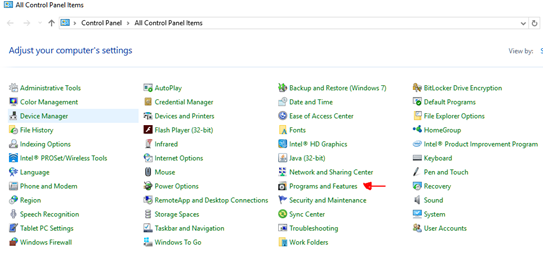
1. Go to Control Panel and select Programs and Features.
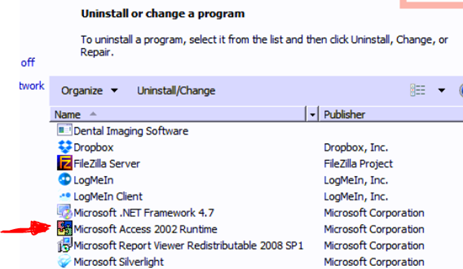
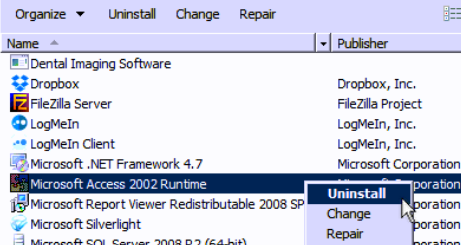
2. When in Programs and Features, scroll down till you get to the Microsoft Access 2002 Runtime program. Select it, then right click on it. Then select “Uninstall”. Follow instructions for uninstall.
That’s IT, reboot machine if you have to.
Article ID: 657
Created: July 14, 2017
Last Updated: October 12, 2023
Author: TDO KB [web_admin@tdo4endo.com]
Online URL: https://kb.tdo4endo.com/article.php?id=657