Creative Design:
Branding
3 Key factors: Who you are, what you do, and who you do it for.
What is your niche? (e.g. Endodontist)
This will be the platform across the board.
Consistency is key.
Colors: Think logo and office colors.
Fonts: 2 or 3 maximum readable fonts that flow.
Everything starts with a solid website that is easy to navigate and answers questions they did not know they were asking.
A solid website is today’s modern business card.
People no longer ask for business cards, they will ask for your social media (Instagram/fb) or google you (website).
Professional photos are key!
Usability
The first law of usability is “Don’t make me think.” TDO templates are designed with this in mind.
Someone who has no idea about Endodontics for example, can look at your website and think to themselves: “OK, Root Canals are not so bad” and “I get it now” or “I know I will be in good hands, let me contact them now!” 😊.
They should be able to quickly locate what they need or you will lose their attention and they move onto the next website (bounce rate).
When you are creating your website think from the patient perspective and what would they want. How would you greet a first-time patient in your office? Think of it in terms of patient flow. Answer the questions they consistently ask when calling you.
What are your customer’s or visitor’s goals?
What should they learn before they click away?
Learn about services.
Get more info on your topic.
Answer their questions (FAQ’s).
Schedule an appointment.
Give the customers what they need
Not what they want but what they NEED.
Quality products\services.
Customer Service (Contact info visible)
Expert Information (Procedures, what to expect, FAQ’s…)
Social Media Links (FB, Instagram)
Informational videos or tutorials. (Embed You Tube videos) These will double up as SEO AND patient education!
Easy Navigation.
Ease of scheduling.
Search Engine Optimization (SEO) options:
Create a Blog Page. Also known as a form of OFFSITE SEO.
Place Key Words in Several Areas:
Page Title

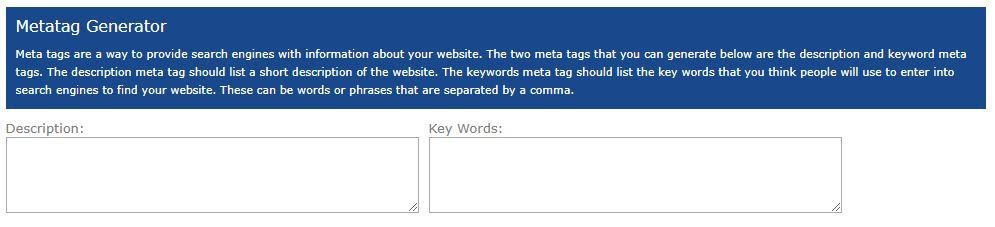
Meta Tags
Content Area Titles
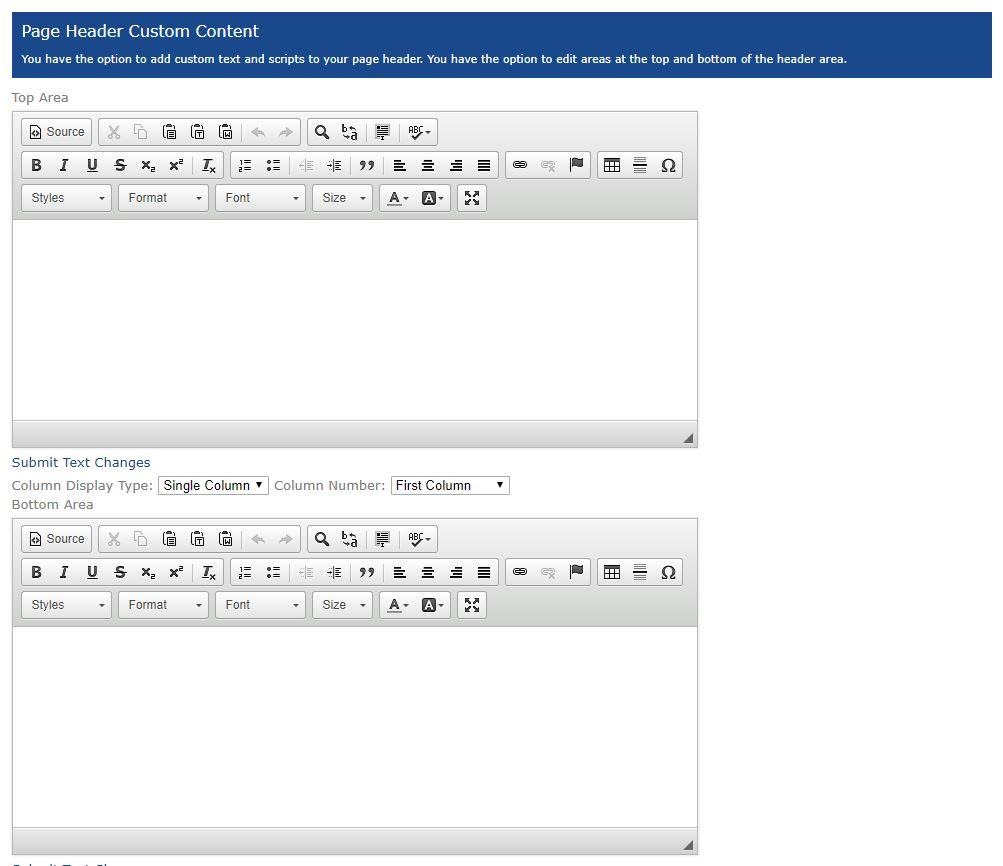
Content Body
Social Media
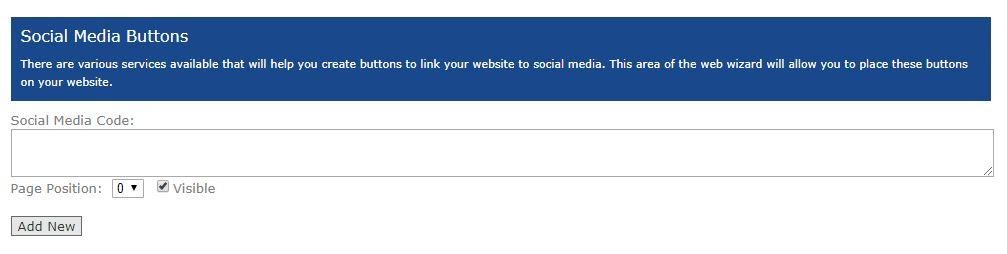
Image Alt Tags
Menu and Page Links
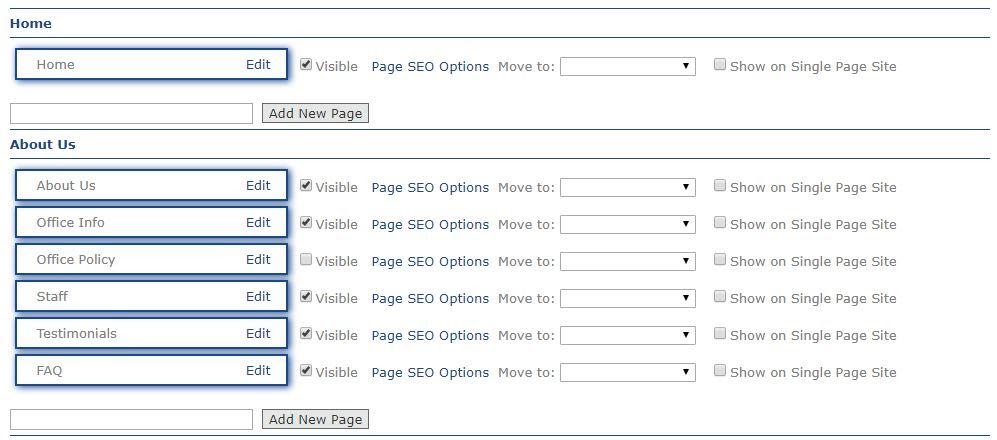
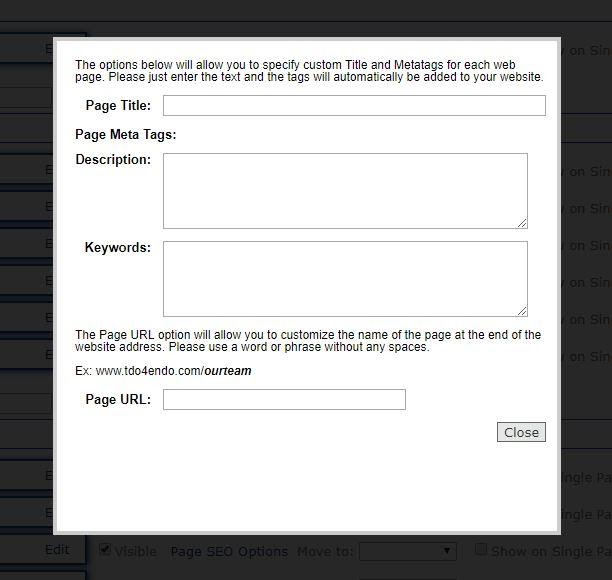
Google Web Master Account
Google Business
Is my site on Google?
What is Google Business?
Here are some tools to get your website on Google.
Google Analytics
What is Google Analytics?
What is SEO (Search Engine Optimization)?
Search Engine Optimization is a way of streamlining the content of your website to improve its position in the search results.
It is not easy. It is not an exact science as Google will update and change its Algorithm. It takes some time to work on and results will begin to show in a few weeks typically if consistent.
Learn more about SEO and Analytics HERE.
Why is it so important? Because in Google search, 70% of users do not go beyond the first page of Search Engines.
The number 1 position will get 33% clicks
How do search engines work?
Robots or crawlers
Looks for RELEVANT content.
Looks for fresh content (eg blog)
Looks for popular sites.
Really really smart.
SEO: On-Site SEO and Off-Site SEO (Social Media/Blogging etc.)
On site SEO:
Keyword Research:
How to find keywords, who are my competitors? Modeling
Who comes up on the first few pages?
What are the keywords?
What are the Title Tags
What is the Description Tag
Are they advertising?
Other ways to do keyword research is to:
Brainstorm… Ask yourself what would I search for?
Research Google Trends, AdWords, Alexa
Resources:
Keyword Phrases
Search Engines have gotten pretty advanced about interpreting meaning.
75% of search queries are between 3 and 5 words long. Write your headlines accordingly.
URL’s
Title Tags
The most important RELEVANT tag
Add keywords, but don’t stuff
56 characters or less
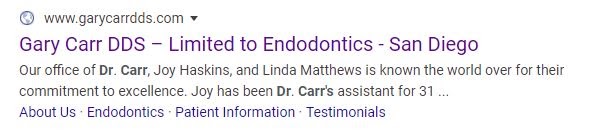
www.garycarrdds.com/
Dr. Gary Carr offers advanced root canal therapy using microscopic endodontics in San Diego, CA
Meta Description
Entice people to click
Don’t tell them everything
Use keyword at least once
Don’t stuff and draw attention
160 characters or less.
Dr. Gary Carr offers advanced root canal therapy using microsopic endodontics in San Diego, CA.
h1 tags
Headlines- Search Engines love these (Blog title) or (page content title)
Don’t overdo it.
Don’t duplicate the title tag
Anchor tags or internal links (link from one page of your site to another.
Images (alt tags)
Search engines can index images too.
Name image with a keyword
Use “alt” tag
This works for embedded video as well.
Content, content, content!!
RELEVANT content with your keywords
Keywords sprinkled not splattered.
Off- Site SEO
Also called search engine marketing (SEM)
Inbound links
Blogging
Social Media (Instagram, Facebook, Twitter, You Tube, LinkedIn)
SEO Tools
Automation is one of the biggest small business secrets for success.
Examples:
Planoly for Instagram
MeetEdgar for Facebook
Convertkit for email marketing platform
Google Analytics and Webmaster Tools
A tracking code inserted into the pages of your website. This will give you the ability to monitor your traffic.
Facebook Pixel for Ad Campaigns
A tracking code can be added from your Facebook Business page to track Ad Campaigns you run through FB & Instagram. This is called a FB pixel.
Examples:
https://www.modernendo.com/home.aspx
https://www.advancedcareendo.com/
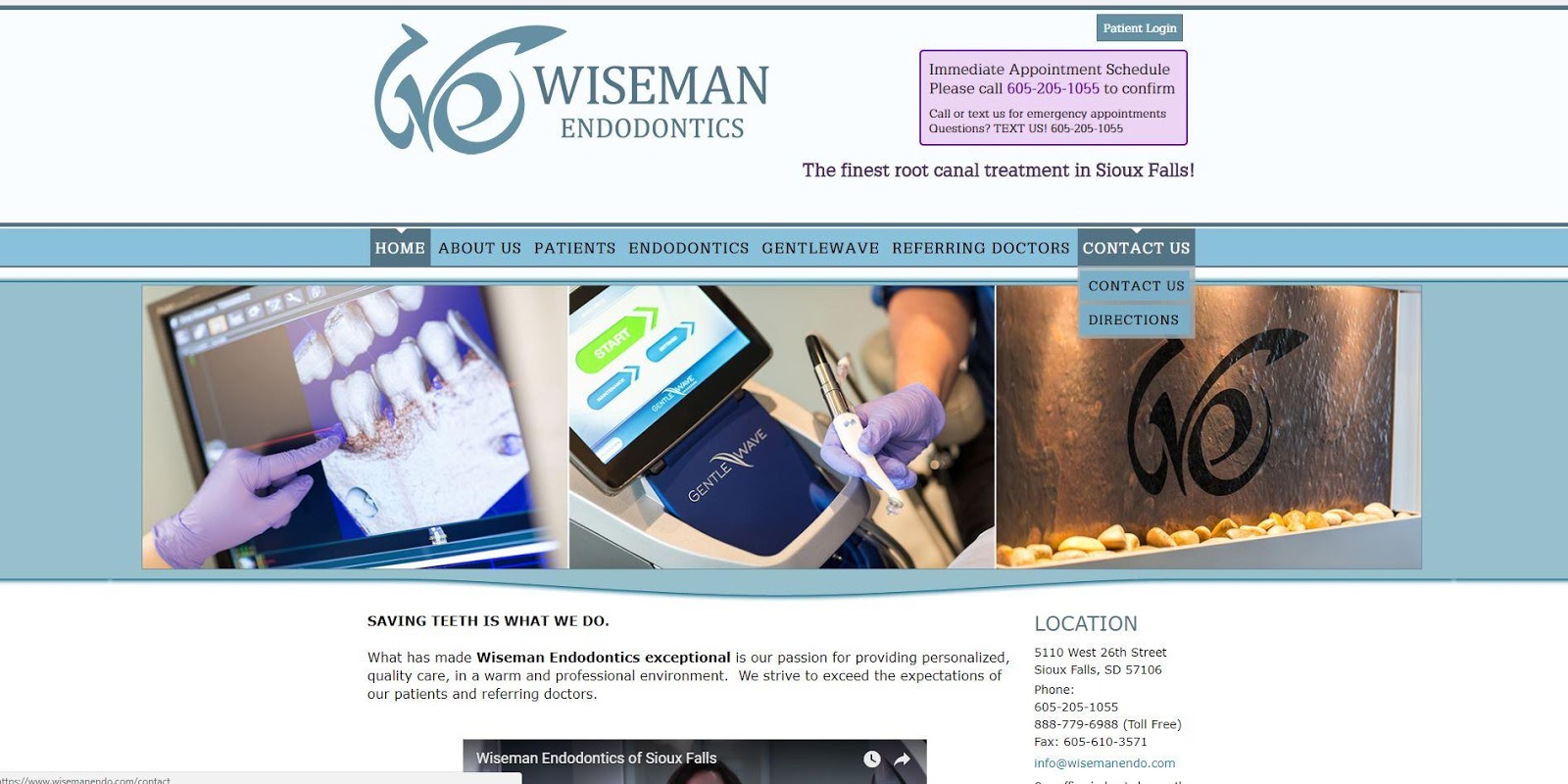
https://www.wisemanendo.com/home.aspx
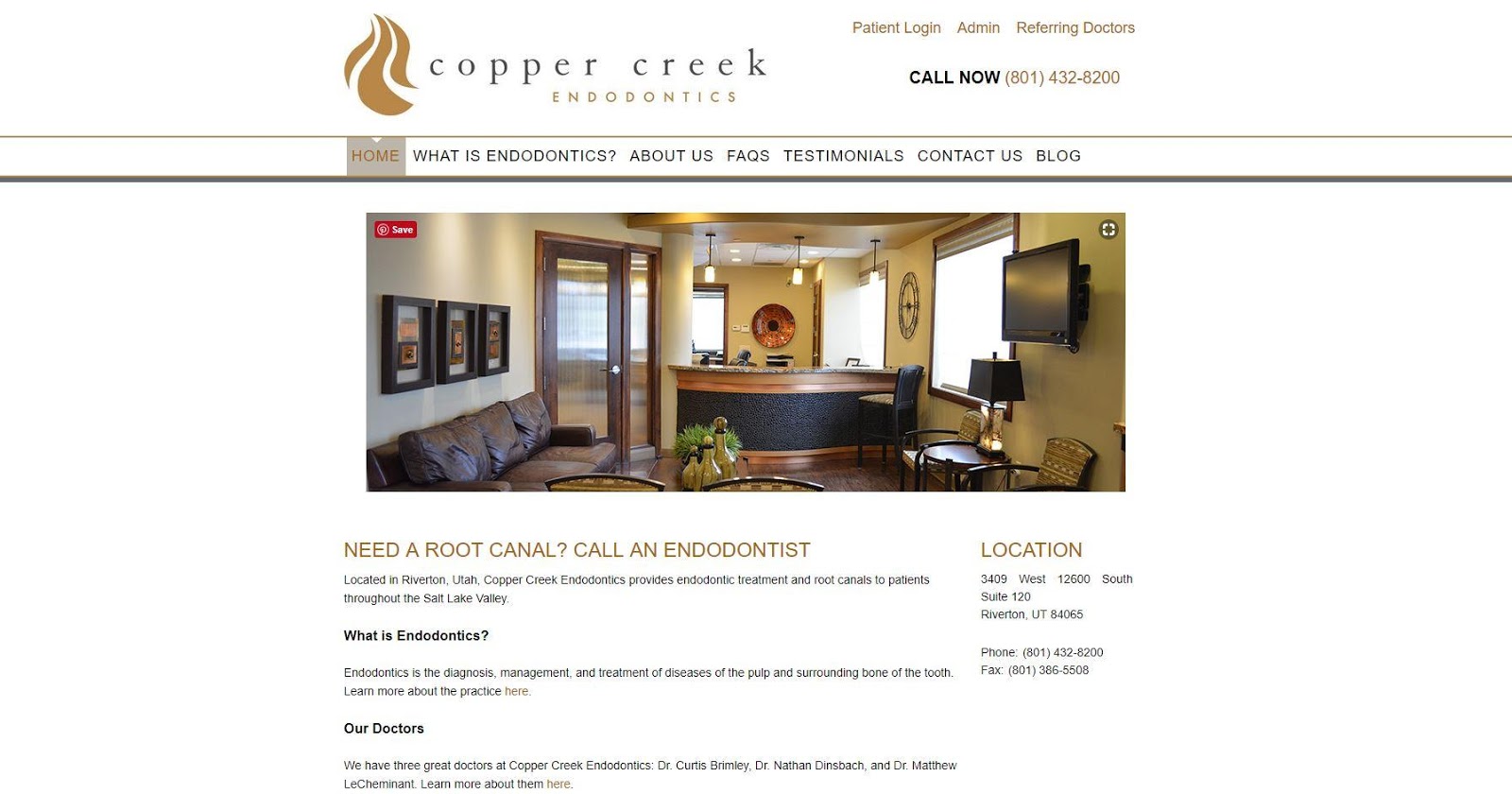
https://www.coppercreekendo.com/
https://www.belmarendo.com/home.aspx
Article ID: 729
Created: October 5, 2018
Last Updated: October 11, 2023
Author: TDO KB [web_admin@tdo4endo.com]
Online URL: https://kb.tdo4endo.com/article.php?id=729