Carestream - 6100/6200 - taking continuous x-rays
Overview
This feature is designed to simplify the process of taking multiple X-rays with one click. CS 6100 and CS 6200 sensors work with this new functionality.
This feature is available in 12.403 and newer.
Detailed Instructions
- In Acquire page, click the Tooth button
- Check the “Continuous X Ray” box located between ‘Auto Stamp’ box and ‘Lectures’ button. Note: TDO will remember the selection next time you take an X-ray. If you don’t wish to take multiple X-rays you can simply uncheck the “Continuous X Ray” box.

The Carestream RVG Acquisition window will come up on the screen. NOTE: A timer will show with CS6100
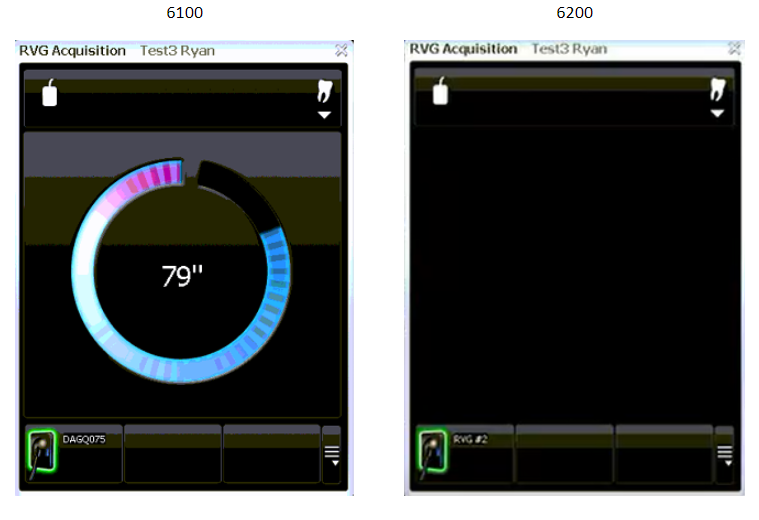
- Take the first image.
- The first image will show in Acquire.
- Then you will see the Carestream RVG Acquisition will show on the screen again for another xray.
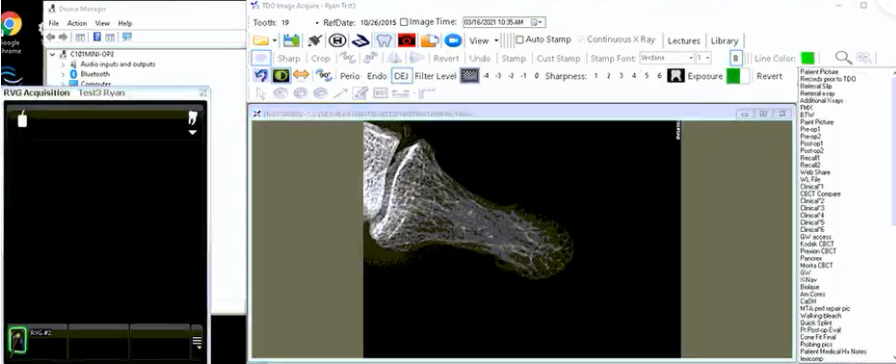
- The Carestream RVG Acquisition window will display as many times as you need. Notes: Every time you take an X-ray, the X-ray will appear in Acquire before the Carestream RVG Acquisition window comes up on the screen, ready for another X-ray. For CS6100 sensors: if the timer runs out of time, you will need to click the ‘Tooth” button again to start the process.
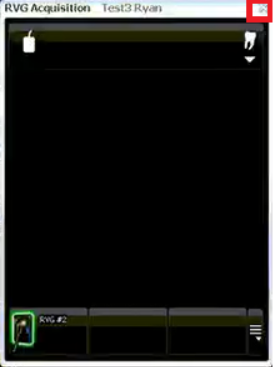
- When done taking x-rays, you can simply click on the “X” button to close the Carestream RVG Acquisition window.
Article ID: 862
Created: March 26, 2021
Last Updated: November 21, 2025
Author: TDOKB1 [IT@tdo4endo.com]
Online URL: https://kb.tdo4endo.com/article.php?id=862