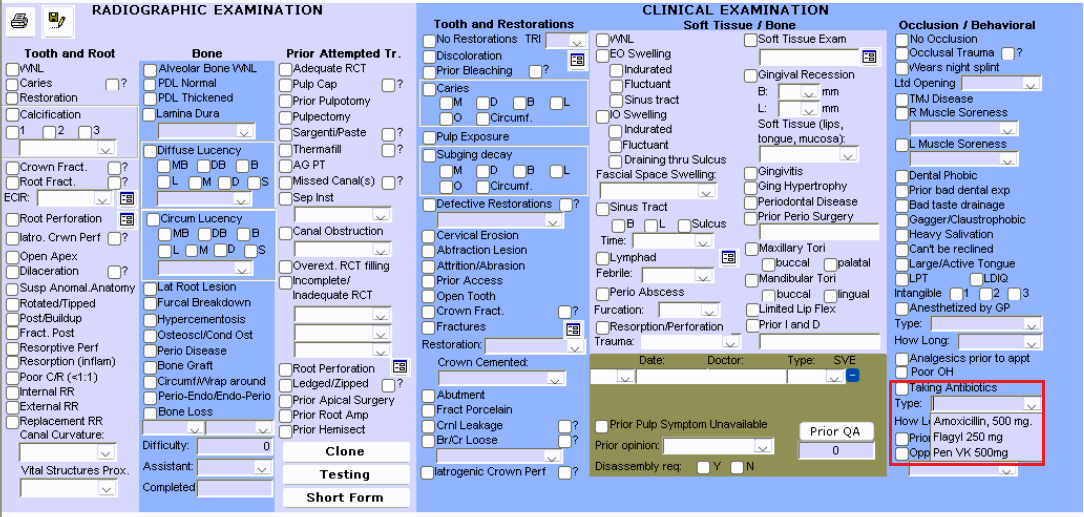
Where to access: To use this list when working within TDO (not setting up) you can go to Diagnosis page > if not already selected, Long Form > Taking Antibiotics in the bottom right corner.
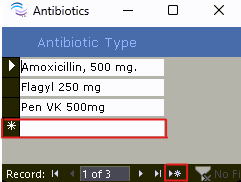
The following article reviews how to add or remove antibiotics from the Antibiotic Types list on the long form Diagnosis page through the Setup ribbon menu > Program Setup.
Where to access: To use this list when working within TDO (not setting up) you can go to Diagnosis page > if not already selected, Long Form > Taking Antibiotics in the bottom right corner.
Article ID: 956
Created: February 29, 2024
Last Updated: February 29, 2024
Author: TDOKB1 [IT@tdo4endo.com]
Online URL: https://kb.tdo4endo.com/article.php?id=956