Create and submit Pre-Determinations and Claims electronically
Overview
How to send a Pre-determination or an E-Claim, step by step from Insurance, Creating, Submitting, and Uploading.
Detailed Instructions
- Make sure the patient’s insurance information is entered in the Insurance page.
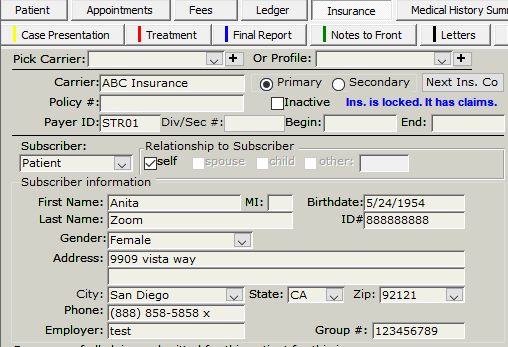
Pre-Determination
- In the Fees page, add the fees without clicking ‘Post’ or ‘Post All’ buttons.

- Click on the “New Claim”button.

- On the “Create Claim” window, check the box for “Pre-Determination”.
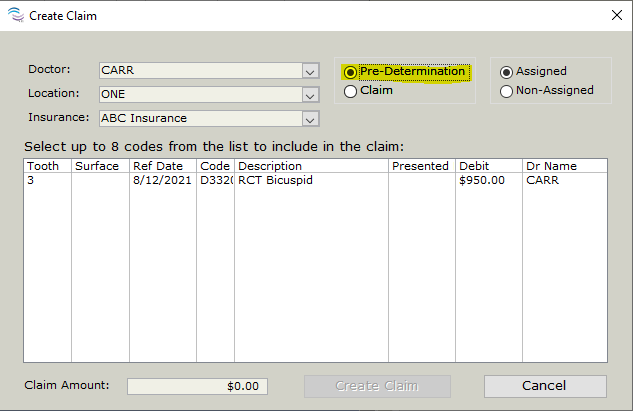
- Make sure the right doctor shows in the Doctor field, the Location is the right one (for multi-location offices), and the insurance name shows on the Insurance field.
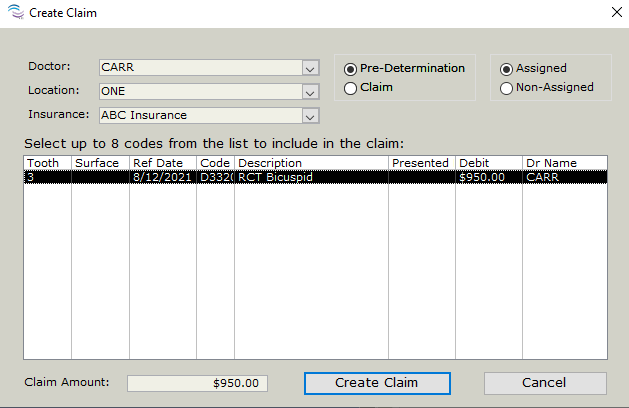
- Highlight or select the fee available, then click the “Create Claim” button
Assigned vs Non- Assigned
- If the payment is elected to be received by the Office from the Insurance select Assigned.
- If the payment is elected to be received by the Patient from the Insurance select Non-Assigned
- The Pre-Determination form will be created in TDO
- Click on the “Submit E-Claim” button, Even though it is a predetermination it will send as a Pre-Determination

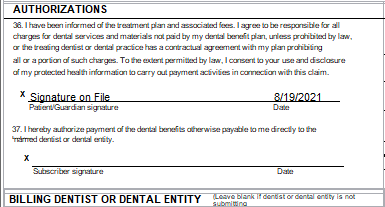
- If the E-Claim was elected to be Assigned and paid to the Office the claim will have Signature on file for both the Parent/Guardian and Subscriber (insured individual)
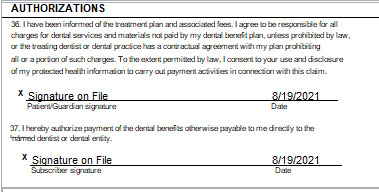
- If the E-Claim was elected to be Non-Assigned and paid to the Subscriber the claim will only have the Signature on File for the Parent and Guardian and not the subscriber
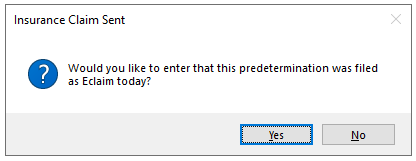
- Select YES to the question: Would you like to enter that this predetermination was filed as E-Claim today?
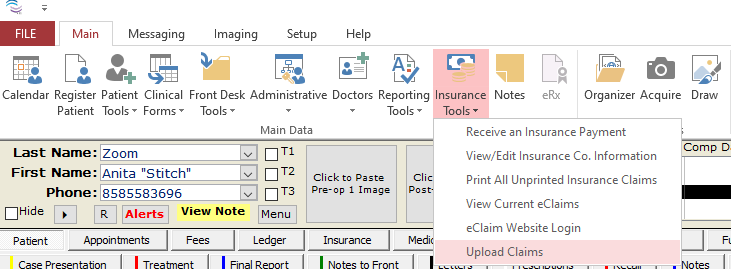
- Click on Insurance Tools> Upload Claims, to send all made E-Claims to DentalxChange
E-Claim
- After insurance is verified and filled out go to Fees tab
- Post the Fees that are planned to be billed to Insurance. Click Post or Post All if there are several fees to be posted for claim.
- Add the date by clicking in the box this will show when the fees were being posted and presented to the patient. Both boxes need to be filled.

- Fee is now posted to ledger and will be removed from the Fees page

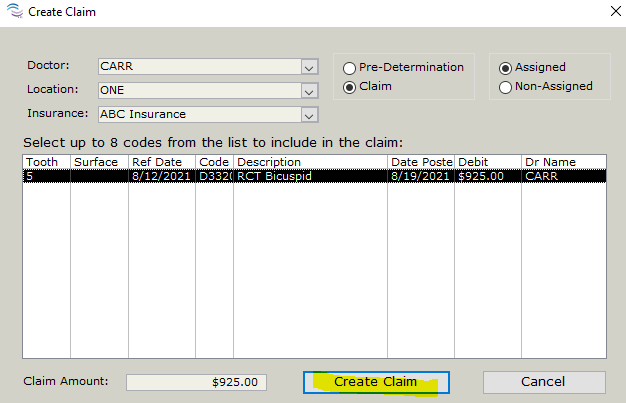
- Click New Claim
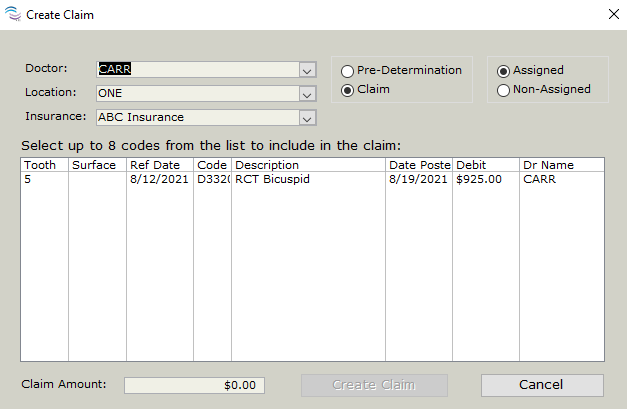
- The code will show here with the Insurance
Assigned vs Non- Assigned
- If the payment is elected to be received by the Office from the Insurance select Assigned.
- If the payment is elected to be received by the Patient from the Insurance select Non-Assigned
- Click the code and select Create Claim to create the claim form
- Claim form will show for review
- You can add attachments if needed see this article. This Attachments functionality is added in version 12.338 and higher and Only .jpg, .png, and .gif files can be attached.
- Select Submit E-Claim

- If the E-Claim was elected to be Assigned and paid to the Office the claim will have Signature on file for both the Parent/Guardian and Subscriber (insured individual)
- If the E-Claim was elected to be Non-Assigned and paid to the Subscriber the claim will only have the Signature on File for the Parent and Guardian and not the subscriber
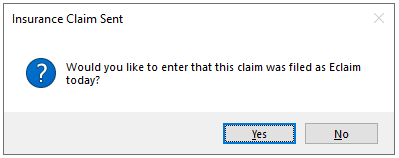
Upload Claim
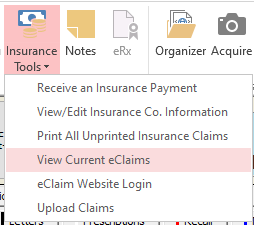
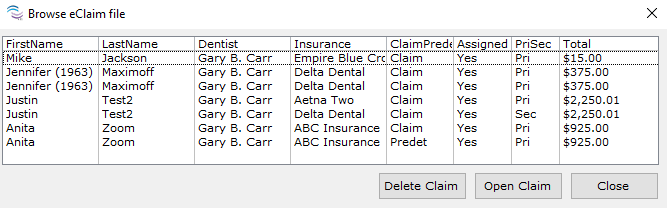
- You can view the E-Claims that are pending and ready to send
- Insurance Tools> View Current E-Claims
- To send all E-Claims that are ready to go
- Insurance tools> Upload Claims
- A progress bar will show and notify when complete
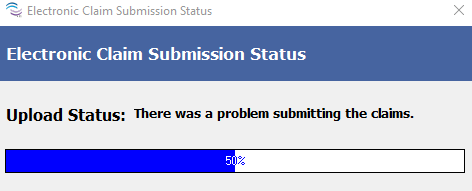
Error Sending Claim
- If the upload fails Verify that you DentalxChange Password and login are correct,
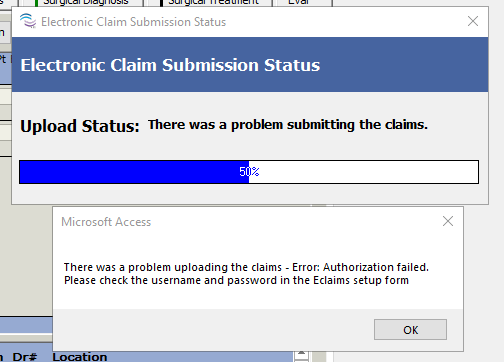
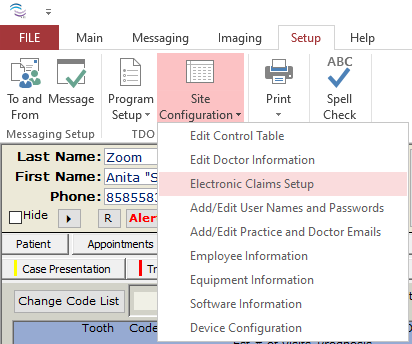
- Verify that you TDO login information is correct
- Setup> Site Configuration>Electronic Claim Setup
- Type in the correct Username and Password
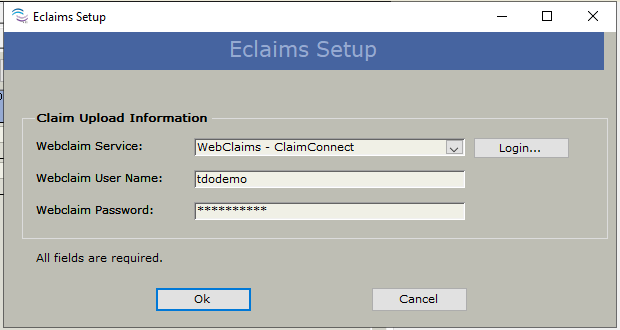
- Click Login to open the DentalxChange website to verify the correct information
- Then Select OK in TDO to have the updated Password saved and repeat the Upload process to send Electronic Claims.
Article ID: 613
Created: August 14, 2016
Last Updated: February 26, 2026
Author: TDO KB [web_admin@tdo4endo.com]
Online URL: https://kb.tdo4endo.com/article.php?id=613