Refresh buttons in Organizer
Estimated Reading Time: 1 MinutesIn previous versions of TDO 12, Image Organizer had 3 different refresh buttons. In TDO 12.351d and above they are grouped into a dropdown.
Previous versions of TDO:
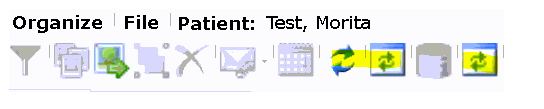
TDO version 12.351d and newer:

Note: In version 12.364n and newer, each button will have a tooltip describing its function that will display if you hover the mouse over the button.
Steps:
- Open Image Organizer
- Click on the Refresh Dropdown Menu
- Select one of the categories:
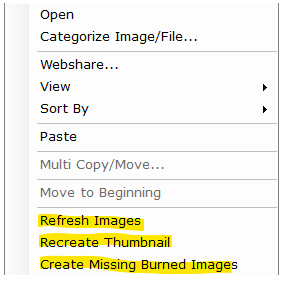
- Refresh Images: Reload images from xrays folder.
- Recreate Thumbnails: Recreate thumbnails from original image.
- Create Missing Burned Images: Create any missing image for copy and paste and/or drag and drop.
Note: ’Burned Image’ refers to an image that has all annotations which have been added included.
The same options are available when right-clicking in the body of the Image Organizer. Simply right-click anywhere in the right pane of the Image Organizer.