How to Reset Organizer to Default Settings
Estimated Reading Time: 1 MinutesOverview
There is a new way in TDO to reset the Image Organizer to its original state without the need to do it manually.
If Organizer is set to display images with specific settings, such as Pane view, sorted by ‘Taken Date’, etc., you can hold the SHIFT key on the keyboard. This will reset Organizer to its default settings.
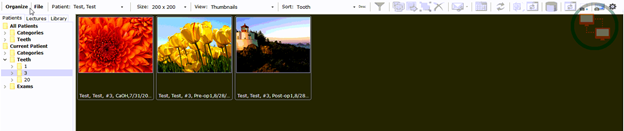
Organizer Default settings:
- View: Thumbnails
- Size: 200x200
- Sort: Tooth
Detailed Instructions
Let’s take, for example, that Organizer is set to display images with Pane view, sorted by ‘Taken Date’, and image size 400x400
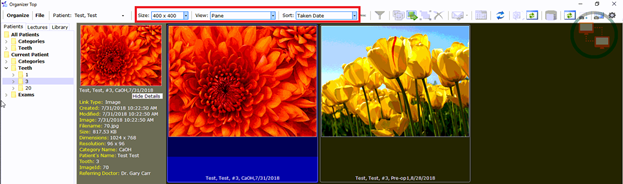
- Close Organizer
- Hold the “SHIFT” Key on the keyboard
- Click on the “Organizer” button
- Organizer is now set to display its default settings