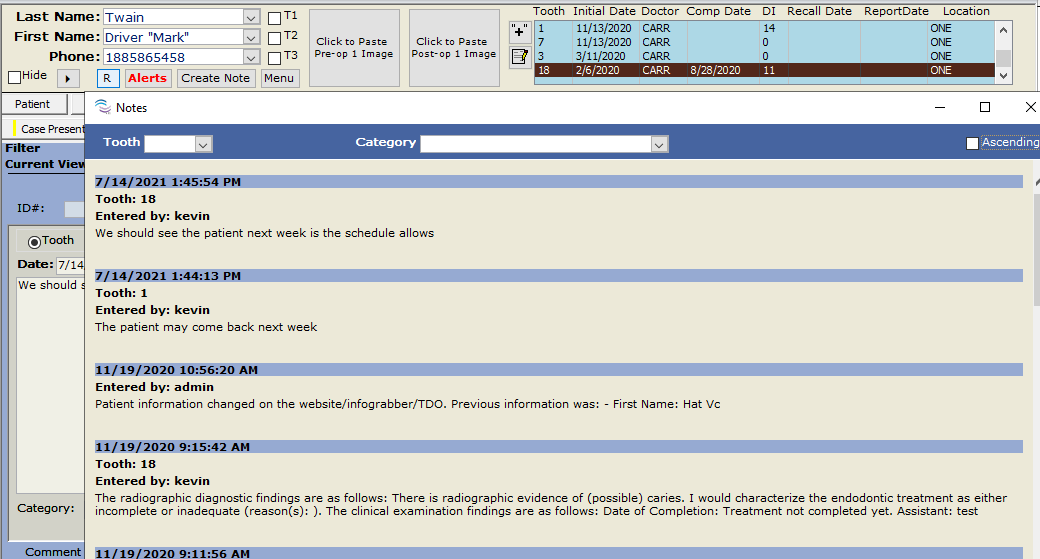
[v12] Main Ribbon Menu - Notes
Estimated Reading Time: 1 MinutesOverview
You can filter by category when reviewing a patient's notes. This feature is available in TDO version 12.350 and newer.
Detailed Instructions
On the Main Tab, Click on Notes
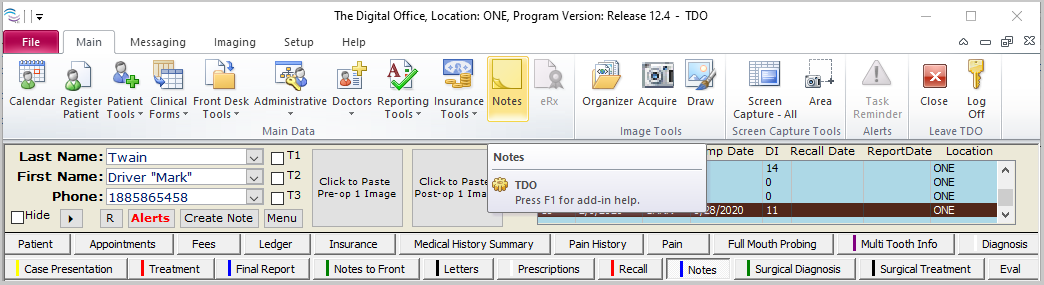
The Category field will be located at the top of the form.
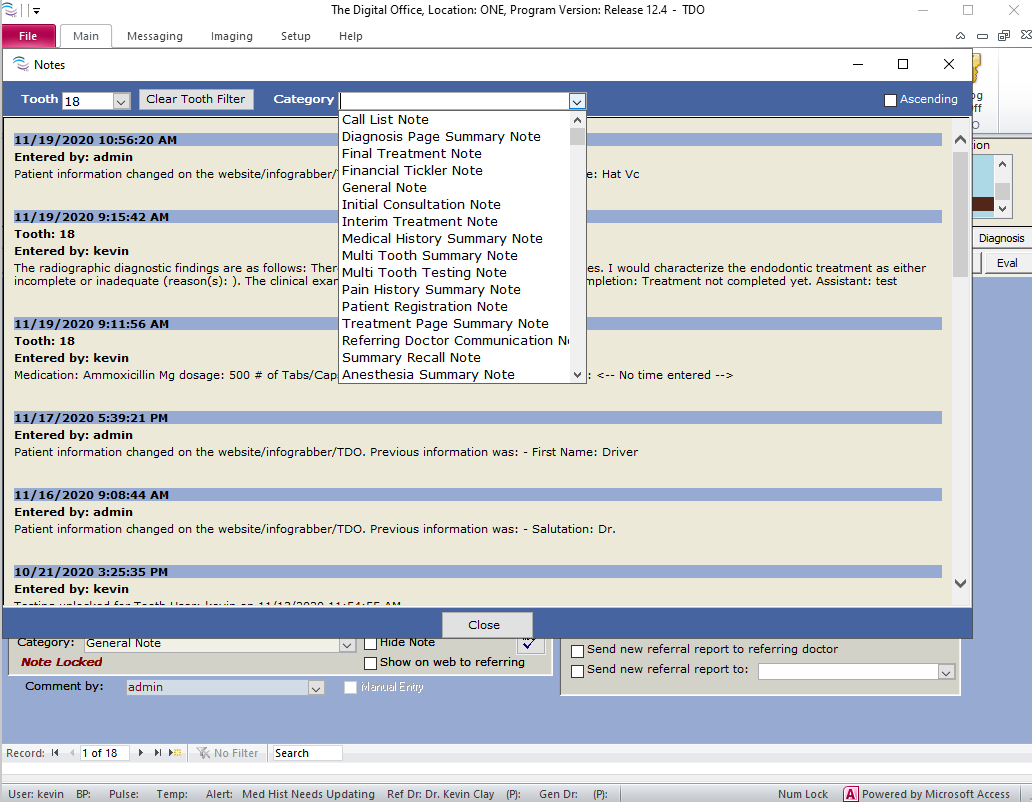
By default, the Notes form displays the patient's notes and the tooth on the Main page in descending order.
“Ascending” checkbox. It is simply the sort of notes you are viewing.
When selecting a category from the dropdown, TDO will display any notes saved under the category for the highlighted tooth number on the Main page.
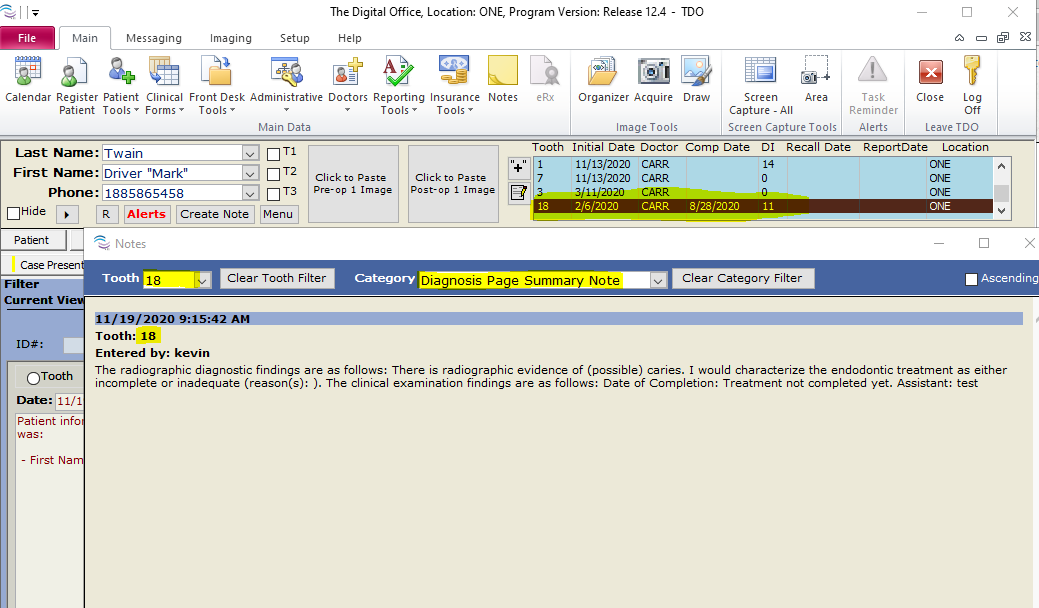
Clicking the “Clear Tooth Filter” will display any notes saved under the category selected for all teeth.
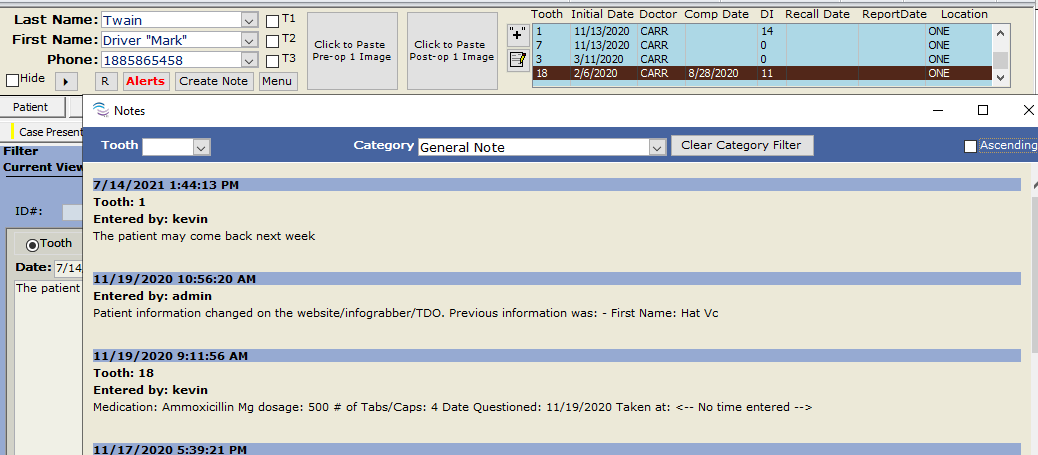
If the tooth and category fields are cleared out, TDO will display all patients and treatment notes for all teeth.