How to Enter Vital Signs
Estimated Reading Time: < 1 MinuteOverview
This article goes over how to enter vital signs for patients within TDO.
Detailed Instructions
Select a patient.
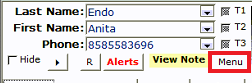
Click the ’Menu’ button below the T-rating checkboxes.
Note: You can also clear the patient's T-rating from this menu.
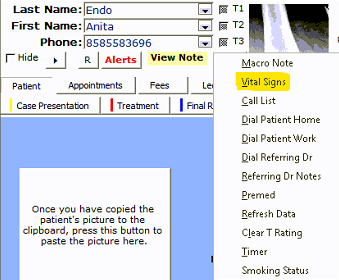
Select Vital Signs.
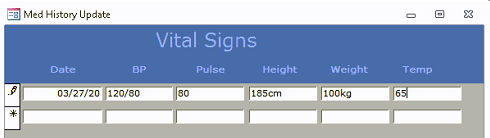
Enter the date, and record the patient’s BP (Blood Pressure), Pulse, Height, Weight, and Temperature.
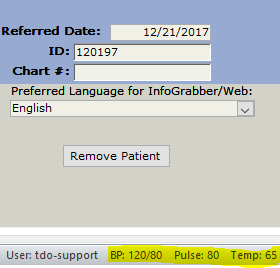
Vital signs in the status bar of the Main Page should show the latest entry