Consult Referral Report
Estimated Reading Time: 1 MinutesOverview
This article shows the different types of Consult Reports available within TDO.
Detailed Instructions
Normally, a ‘Consult Referral’ report is sent to the referring doctor after a consultation if treatment is not going to be performed on a tooth.
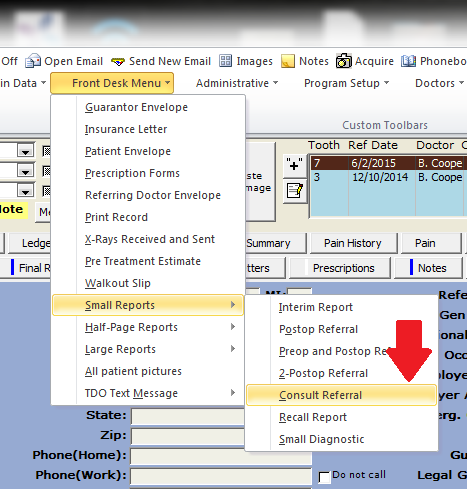
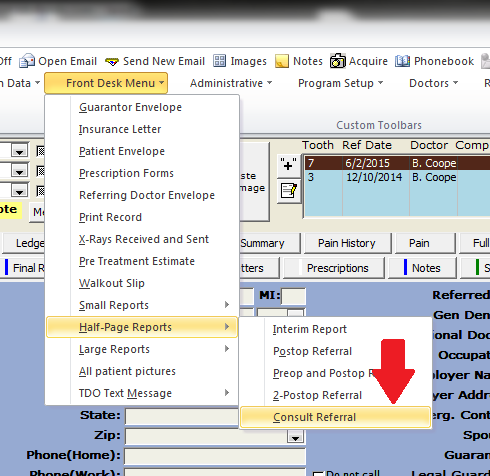
There are 2 sizes of reports built into TDO available – small and medium. These are accessed from the ‘Front Desk Menu’ – ‘Small and Half-Page Reports’ menus.
 |
|
The report includes the image categorized as Pre-op 1 and information from the final report page. You may enter the notes directly on this report, and the notes will automatically be copied to the patient note page, categorized as an ‘Interim Treatment Note.’ If you prefer, you may enter the note on the note page, manually categorize it as ‘Interim Treatment Note’, and it will automatically be pulled onto the report.
You may choose to customize your own consult report instead of the built-in TDO ones. After customizing one in the Letters Module, you would set TDO to use your letter instead of our report in the Edit Control Table section of the program, under Application Settings.