Mail Sets
Estimated Reading Time: 1 MinutesOverview
Mail sets allow you to send a series of letters to one patient and/or referring doctor. This can come in handy if you normally mail a new patient packet to new patient referrals or a thank you letter to the referring doctor. Mail sets allow you to send this group of letters to your desired recipients without having to open each one individually.
Detailed Instructions
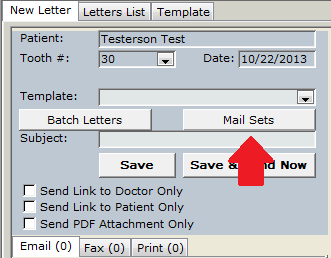
First, you must configure your mail sets. In a patient’s Letters module, click the Mail Sets button.
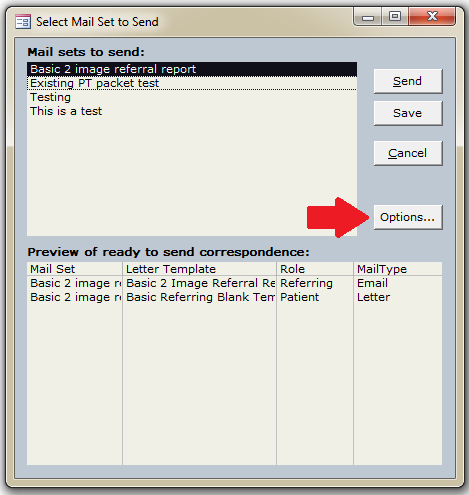
The mail set form will open, displaying any existing mail sets at the top. Click the Options button to customize.
Select the existing mail set you wish to edit from the top combo box or go to a new record and type in your new Mail Set name.
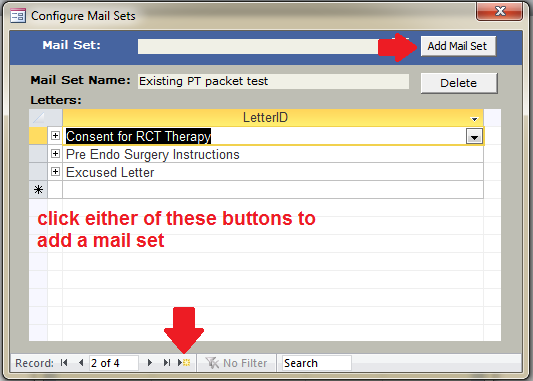
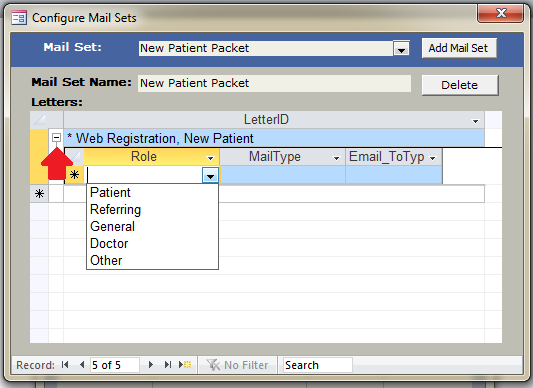
Once you have the proper set selected, select the first letter you wish to include in your set. After picking your letter, click the to the left of the letter name. This opens up the delivery methods for that letter.
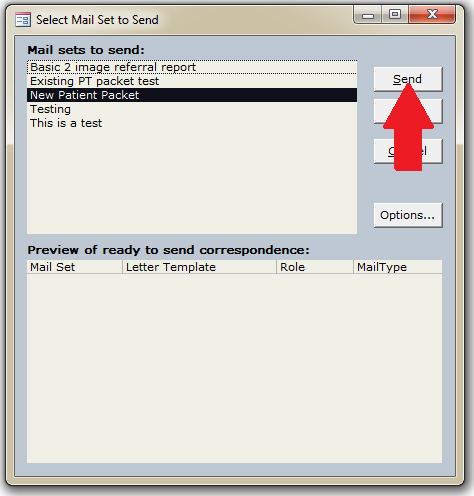
Now, to send a mail set, from the main mail set window, select the set you wish to send at the top. You will see a preview of the letters that will be included. Once you verify everything is correct, click either the Send button to generate and send the letters now or the Save button to generate and put the letters on the Daily Reports – Letters to send