[v12.380b and above] Patient page & Referring Doctors - Setup - hide or show patient/ doctor passwords
Estimated Reading Time: 1 MinutesOverview
TDO now gives the option to offices to decide if they want to hide the Web Password for Patients and Referring/General Doctors in TDO.
This feature was implemented in 12.380b.
Note: Per HIPPA regulations, any patient password should be protected.
Detailed Instructions
To enable this feature, simply follow the steps below:
- Go to Setup>Site Configuration>Edit Control Table>Application Settings
- Under Miscellaneous Settings, check the box to “Show Patient/Ref Dr Pwds”
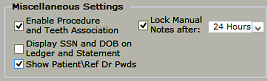
- A popup window will display to confirm the changes.
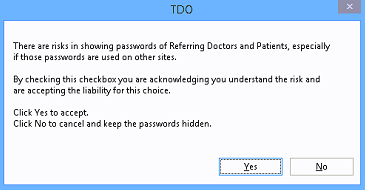
- Clicking YES will allow doctors and staff to view the Web Patient and Web Referring Doctors passwords,
- Clicking NO will keep the Web password field hidden
- Refresh TDO
- If the “Show Patient/Ref Dr Pwds” box is checked in Edit Control table, the Web Password field will be visible:
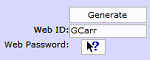
Main Page: Users will have the option to show the password.

Referring/General Doctor page:
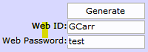
- If the “Show Patient/Ref Dr Pwds” box is un-checked in Edit Control table, the Web Password field will be hidden:
Main Page:

Referring/General Doctor page: