Enable "Remember Me" for Referring Doctors on your website
Estimated Reading Time: < 1 MinuteOverview
This option allows the referring doctors' computer to save their username and password.
Detailed Instructions
- Log in to the Web Wizard area of your website. If you have forgotten your login information, it is the same username and password that you use to login to www.TDO4Endo.com
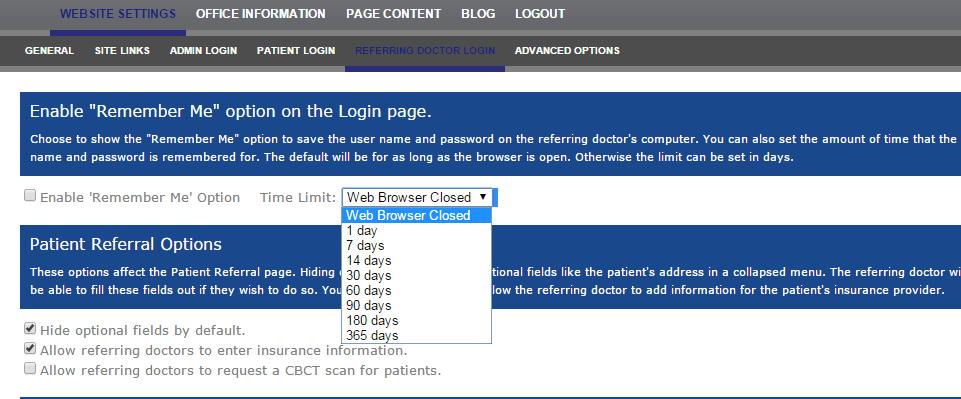
- Go to Website Settings
- Referring Doctor Login
- Click Enable 'Remember Me" and select the amount of time the website should remember the user. See the image below: