How to Run a TDO Autofix
Estimated Reading Time: < 1 MinuteRunning an Autofix
There are two ways to run a TDO Autofix.
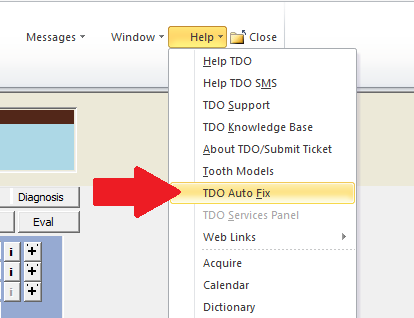
If TDO is open
The Autofix can be run by clicking Help and selecting TDO Autofix
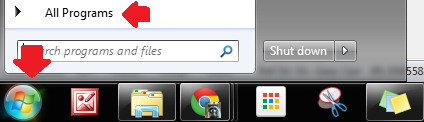
If TDO is closed or not responding
The Autofix can be run by clicking Start, followed by All Programs
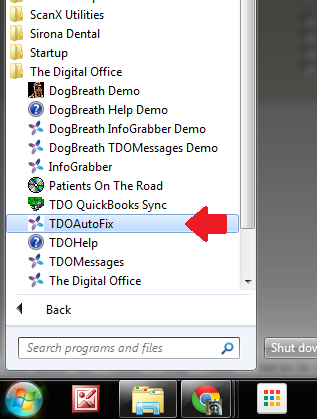
Browse to The Digital Office
Click TDO Autofix
’Microsoft Jet Database Engine’ errors
If TDO is experiencing ’Microsoft Jet Database Engine Error (error #3078)’, running Autofix (See steps above) will take care of this error.