How to use Internal Email and Instant Messenger
Estimated Reading Time: 2 MinutesOverview
There are two types of internal messaging available for communicating with staff.
- Internal emails are used for sending longer messages and are saved in TDO.
- Instant messages are for fast, short messages that are pre-programmed. Chat history is not saved.
Internal Email
Access your Internal Email from the Messaging tab. You will find Open Email and Send New Email.
Click on Send New Email, select who you would like to send the email to. Choose a category and importance level, and select a patient name or leave it blank.
Click on Send.
A red message window will pop up on the receiver’s screen.
Double-click on the red email window to view the message.
Instant Messenger
Setup
Customize Users
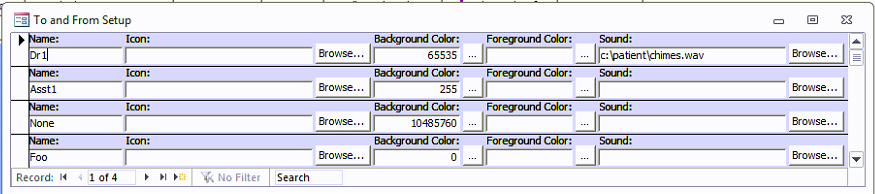
- Setup tab > To and From: Enter everyone's TDO username login under "Name". You can also choose a background and foreground (text) color for the message window. Do not choose the same color for both, or you will not be able to read the message. You can also add a sound notification. The sound files are stored in the TDOfficeData folder on the server. You will need to use the "Browse..." button to locate them
Customize Preset Messages
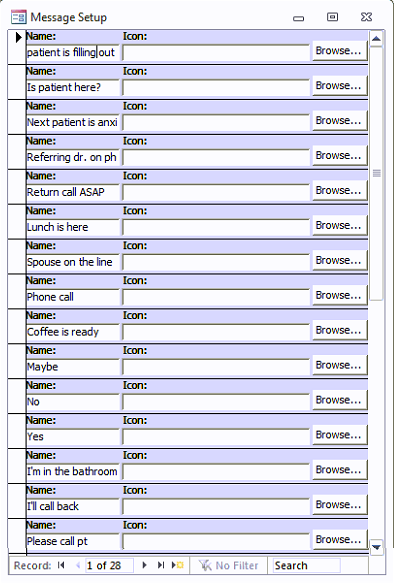
- Setup Tab > Message: TDO comes with a set of messages already. You can add more at the bottom of the list or delete/change existing ones.
Sending a Message
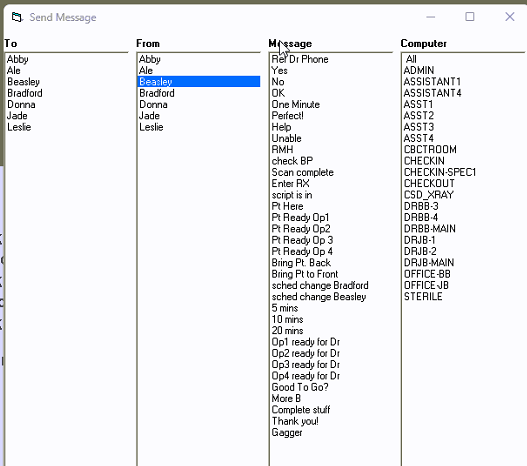
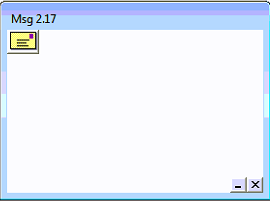
- Go to Messaging tab > View Messages. You will see a window pop up. Click on the yellow postcard icon. Choose who you want to send the message to, who it’s from, what the message is, and what computer you want it to go to.
- IMPORTANT NOTE: The message window must be open to receive Instant Messages. The window can be opened and then minimized.
- At the bottom of the window, there is an option for a Popup Message. You can enter a short message here. When the recipient receives the Instant Message, they can hover their mouse over it, and the pop-up message will appear. This is a good option to send a quick custom message and/or a discreet message.
- Single-click on the message to remove it.
- Instant Messages do not save, so once you click on them, they are deleted.
The listing order of To, From, and Computers is alphabetical. There is no way to change or update the order.