Troubleshooting Slowness in TDO
Estimated Reading Time: 1 MinutesTwo common causes for slowness in TDO are:
1) High disk latency on the server
2) High RAM utilization on the server
Both of these issues will present as TDO slow in all areas. This will affect ALL computers that use TDO.
Behavior – TDO is slow to open to the login screen
Reason - One or more of the printers’ drivers are corrupt and will need to be removed or repaired by your IT.
Testing – Turn off the print spooler. Windows search>Services
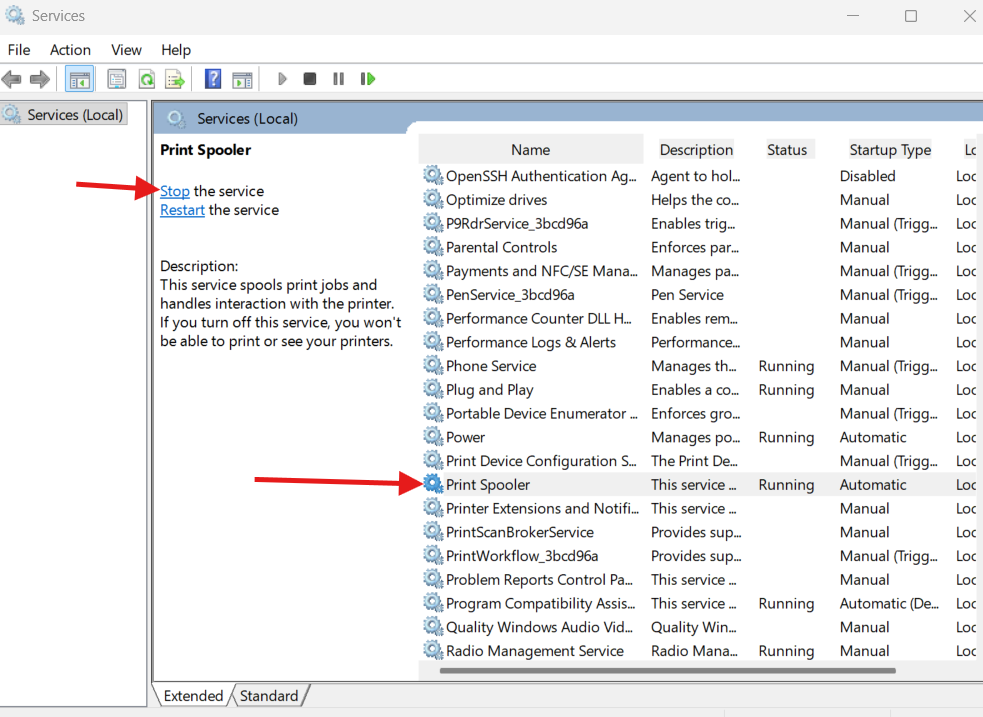
Note: While the printer spooler is off, you will not be able to access Letters or print anything on the computer.
Behavior - Letter Template is slow to load
Reason - One or more of the printers’ drivers are corrupt and will need to be removed or repaired by your IT.
Testing
1) have print spooler running in services
2) open letters
3) select template
4) stop print spooler service
5) letter will immediately load
Behavior - Slow to switch patient charts
When switching patients, the new patient's information will be in the patient ribbon, and the previous patient's information will be in the main tabs.
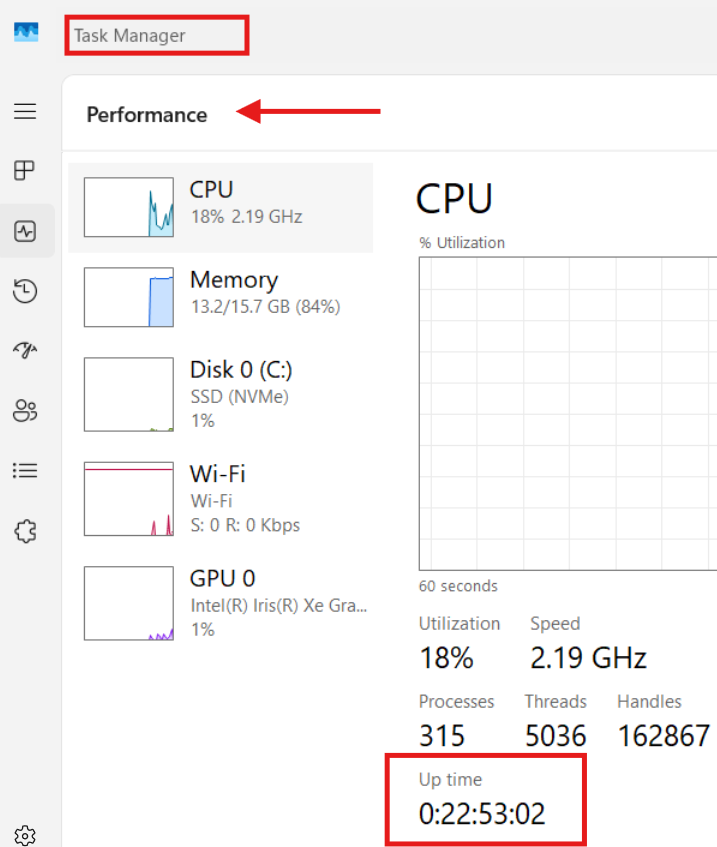
Reason - Usually, high Uptime on the computer or server.
Testing - Start by checking the computer's uptime. If a higher uptime, reboot the computer. A reboot can usually resolve this kind of issue.
.