Adjusting Schick Settings for Image Quality
Estimated Reading Time: < 1 MinuteOverview
This article lists several settings to check in order to improve Schick image quality.
Detailed Instructions
1. In TDO, go to Acquire
2. Click on the Xray button (Molar icon in TDO12)
3. CDR Intra-Oral Sensor window will open
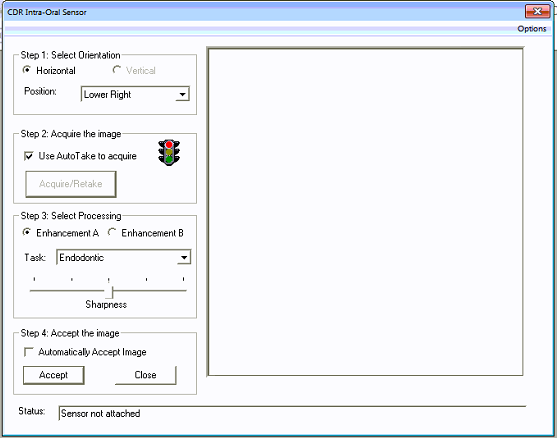
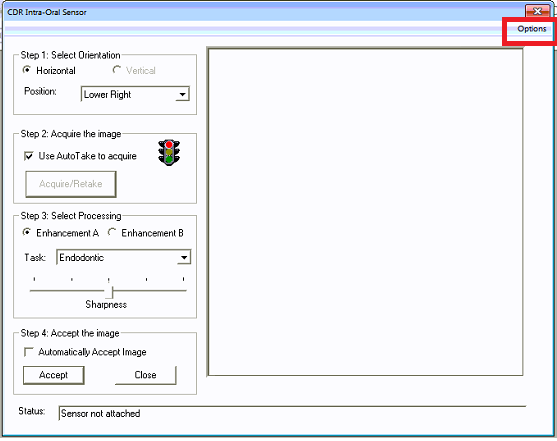
4. Click on the Options button
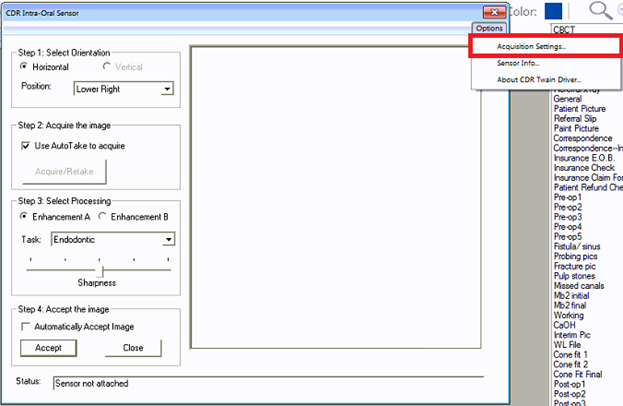
5. Select Acquisition Settings
6. Select the Image tab.
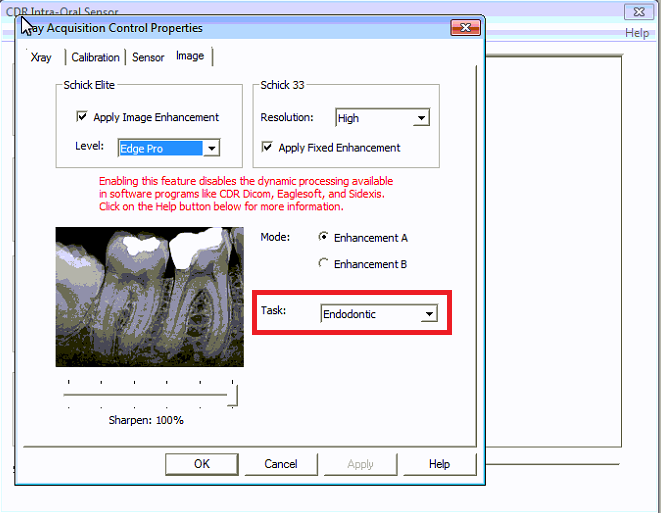
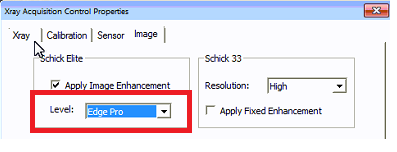
7. On Level make sure “Edge Pro” is selected
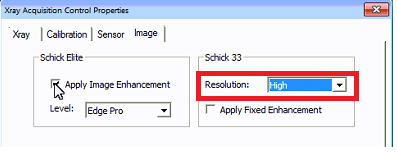
8. On Resolution, make sure “High” is selected
9. On Sharpen make sure it is set to 100% (or Doctor can adjust it to their preference)
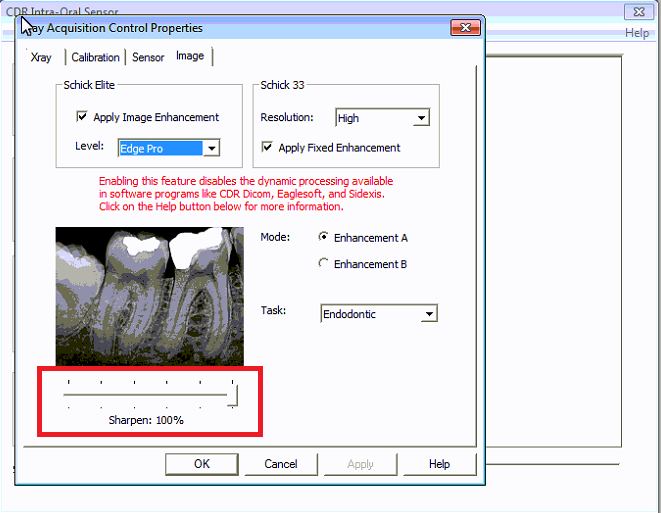
1. On Task, make sure it is “Endodontic”